An elevator technician finishes a repair at the bottom of a shaft, taps "complete", attaches the after photo, and the app spins. There is no signal down there. When he climbs out twenty minutes later, the question is whether the job is closed, half-closed, or closed twice.
Short answer: an offline-first app saves every action on the phone first, in the order it happened, and sends that queue when the connection returns. The hard part is retries: a request that reached the server before the signal dropped must not be applied twice. We handle that with an ordered outbox and a server state machine that rejects repeats.
The business problem
Field teams work where networks are weakest: basements, plant rooms, elevator pits, parking levels, rural sites. An app that assumes a connection fails in three expensive ways.
- Lost work. A report or a photo typed with no signal disappears when the app is closed. The technician either retypes it from memory at the end of the day or doesn't, and your records have a hole exactly where a customer dispute will later land.
- Double submissions. The technician taps "complete" three times because nothing happened. If the server received the first tap and the phone never heard back, you now have duplicate events, double-counted visits, or a job that bounces between statuses.
- Wrong timing. If the server stamps the job with the time the request arrived, a job finished at 10:05 in a basement shows as finished at 10:40. SLA reports, technician scorecards and customer invoices all inherit that error.
The quieter cost is trust. A technician who loses a report once starts keeping notes on paper "just in case", and then your app is a second job instead of the tool.
Your options, and what each one costs
"Offline mode" covers very different scopes. Decide which one you are paying for before the first sprint, because retrofitting it later touches almost every screen.
| Scope | What works without signal | Typical fit | Main cost |
|---|---|---|---|
| Online only, with clear errors | Nothing; the app says so honestly | Office apps, payments | Lowest; frustrating in the field |
| Read-only cache | Viewing the last data seen (lists, details, directories) | Catalogs, directories, member apps | Moderate; needs a freshness rule |
| Offline writes with an outbox | Viewing plus recording actions, notes, photos, readings | Field service, inspections, delivery | Higher; needs ordering, retries, conflict rules |
| Full two-way sync | Editing shared records on several devices offline | Collaborative tools | Highest; needs real conflict resolution |
Most field-service products need the third row, and most member or catalog apps need the second. Very few businesses need the fourth, and it is the one vendors are most tempted to promise.
How we built it in Montra ERP
Montra ERP is our own maintenance-operations platform, built for elevator companies first. Breakdown calls and preventive visits become jobs, a dispatcher assigns them, and technicians work them from a Flutter app: on my way, arrived, start work, photos before and after, the technician report, checklists, meter readings, complete.
The offline part was designed around one rule: a technician should never have to know whether there is signal. Every action goes to the server if it can. If the call fails because the network is down, the app saves it to an outbox on the phone, applies the change to its local copy of the job so the screen reflects reality, and shows a short message: saved on the phone, it will be sent when you are back online.
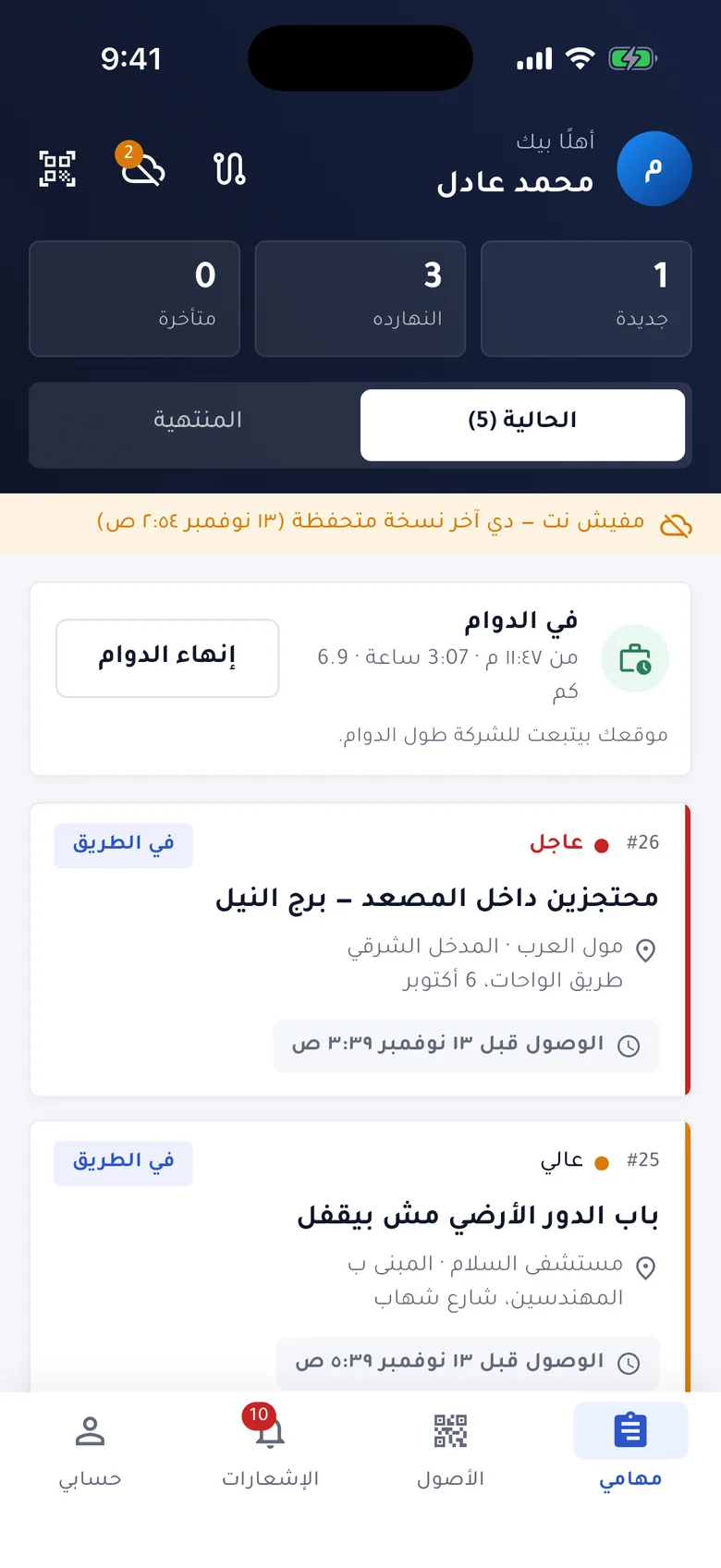 technician app job list with the offline banner ("showing the copy saved at …") and the sync badge counting changes not sent yet
A few decisions shaped it:
- The job list and open job details are cached on the phone. While online, the app saves the details of up to 30 open jobs, at most every 10 minutes, so a technician can open tomorrow's job in a basement. A banner shows that this is the copy saved at a given time.
- The time of the action is recorded on the phone. Each status change carries the moment the technician tapped it. The server accepts that timestamp if it falls within the last seven days and isn't more than two minutes in the future; otherwise it uses its own clock. A job completed at 10:05 underground is recorded at 10:05.
- Photos are copied into the app's own storage the moment they are queued, so the operating system can't clean up the original before upload.
- Only the technician's flow is queued. A manager approving or cancelling a job needs the server's answer right away, so those actions are not deferred.
One honest note on status: the offline technician app is complete in code and is still waiting on real-device field testing. What follows is the design and the reasoning behind it, not field-measured results.
Under the hood: the ordered outbox
The outbox is a list of operations stored as a small JSON file in the app's documents folder. Each operation is exactly one API call: a status change, a report, a checklist, a photo upload or a meter reading. Writes to the file are chained so two quick changes never interleave, and each write goes to a temporary file that is then renamed, so a crash mid-write can't leave a half-written queue.
 tap "arrive"  ──► try API ──ok──► update screen
                      │
                  network down
                      ▼
               outbox.json  [arrive, photo, report, complete]
                      │
   every 30 s / app resumed / job opened
                      ▼
          send in order, one at a time
     ok ─► remove     network error ─► stop, retry later
     rejected ─► remove + show to technician
Sync runs on three triggers: a 30-second timer when anything is pending, the moment the app returns to the foreground, and before a job screen loads (so the server copy already includes the phone's changes). Order matters because the server enforces a sequence: you can't complete a job you haven't started. So the flush stops at the first network error instead of skipping ahead.
for (final op in store.outbox) {
  try {
    await send(op);
    await store.remove(op.id);
  } on ApiException catch (e) {
    if (isOffline(e)) {               // no network or a 5xx
      await store.markAttempt(op, e.code);
      break;                          // keep order, try again later
    }
    // The server said no. A status change it already applied
    // (sent before the signal dropped) is not a failure.
    final alreadyDone = op.kind == 'transition' && e.code == 'INVALID_TRANSITION';
    if (!alreadyDone) failures.add(SyncFailure(op.kind, op.jobNumber, e.code));
    await store.remove(op.id);
  }
}
Why "invalid transition" counts as success
This is the edge case that matters most. Picture the technician tapping "arrive" with one bar of signal. The request reaches the server, the server moves the job from en route to on site and commits, and the response is lost on the way back. To the phone this looks exactly like a network failure, so "arrive" stays in the outbox.
Next sync, the phone sends "arrive" again. The server's work-order state machine, defined once in a shared package used by the API, the web panel and the app, only allows "arrive" from accepted or en route. The job is already on site, so the server refuses with INVALID_TRANSITION.
That refusal is the proof the first attempt landed. Instead of building a separate deduplication table for status changes, we get idempotency from the state machine itself: a repeated transition can never be applied twice, and the app treats that specific rejection as "already done" rather than raising an alarm.
The trade-off is deliberate. The same error appears if a dispatcher cancelled the job while the technician was offline. In that case the queued change is also dropped quietly, and the refreshed job, which the app fetches right after syncing, shows the cancelled status. Every other rejection, such as a job reassigned to someone else, is removed from the queue and listed on the sync screen with the job number, so the technician knows exactly which change didn't go through. Nothing is retried forever.
A second pattern: the offline reading cache in Takaful Golden
Not every app needs offline writes. Takaful Golden, a Saudi medical discount-card app live in production since 2020, needs members to find a clinic that honors their card, often from a hospital corridor with weak coverage. That is a read problem.
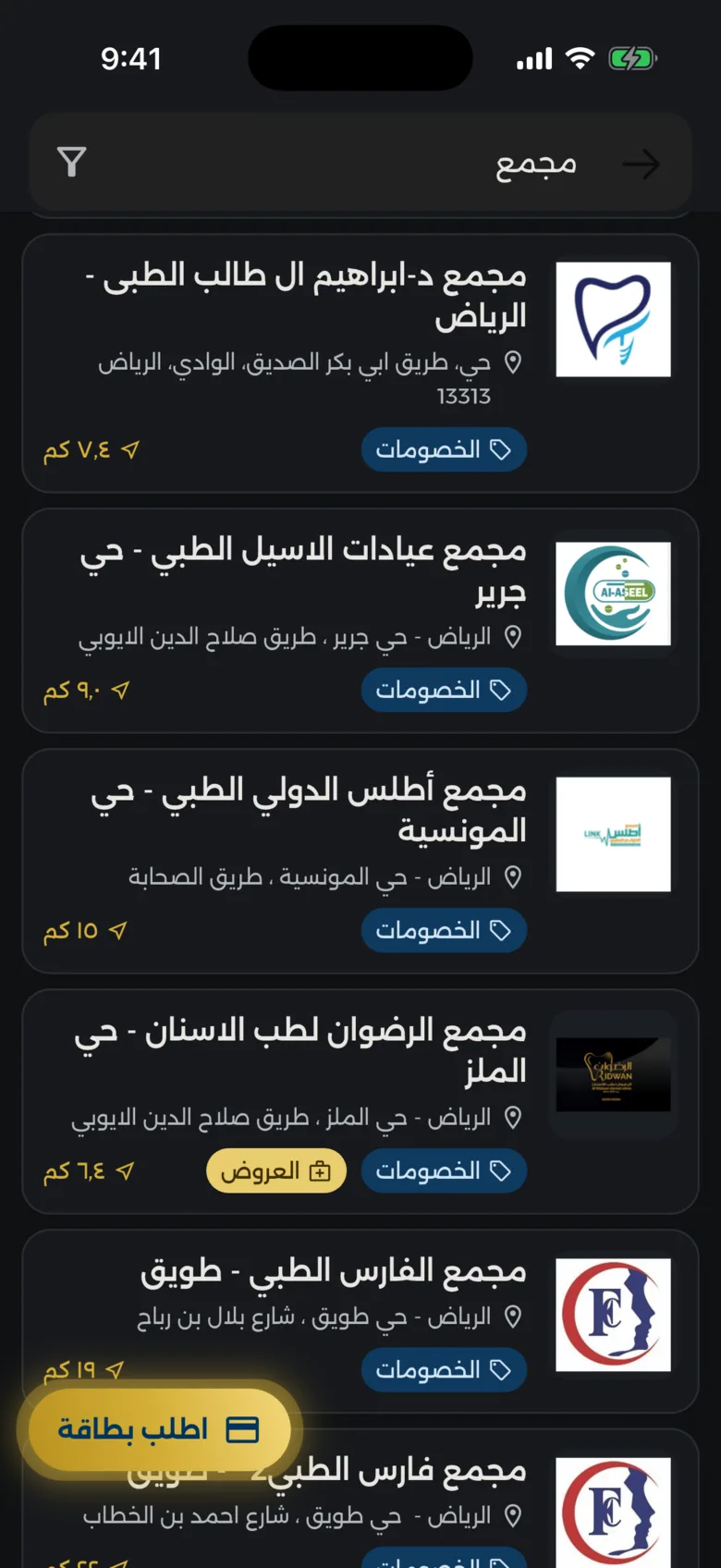 clinic directory with Arabic search results, filtered by city and specialty
The whole provider directory is downloaded once, stored on the phone with Hive, and refreshed on a timer. In production the cache lives for 24 hours. When the app opens, it loads the saved directory from disk immediately; if that copy is older than 24 hours, it shows it anyway and refreshes in the background. If the refresh fails, the member keeps the copy they had. Two screens asking for a refresh at the same time share one request.
Search runs entirely on the phone against a prebuilt index. For each clinic, the app combines the name, address, city, section, specialties and specialty keywords into one search string, normalized for Arabic: diacritics and tatweel removed, hamza forms of alef folded to a plain alef, alef maksura to yeh, teh marbuta to heh. A member typing "مستشفى" or "مستشفي" finds the same clinics, with or without a signal.
Keeping big responses off the main thread
The directory is a large JSON payload, and parsing it has a cost that changed recently. Since Flutter 3.29, Dart code on Android and iOS runs on the application's main thread, with no separate UI thread. A long parse there freezes the app, and on Android a frozen main thread can trigger the "app isn't responding" dialog.
So Takaful Golden fetches the directory as plain text and does decoding, cleanup and index building in one background isolate. A general helper applies the same rule to any list response of roughly 50 KB or more:
const backgroundParseThreshold = 50 * 1024;

Future<List<T>> decodeListInBackground<T>(String body, T Function(Map<String, dynamic>) fromJson) {
  if (body.length < backgroundParseThreshold) {
    return Future.sync(() => decodeList(body, fromJson));
  }
  return Isolate.run(() => decodeList(body, fromJson));
}
On the write side, the app's HTTP client retries failed requests three times, waiting one, two and three seconds. Every POST, PUT, PATCH and DELETE gets an X-Idempotency-Key header, set once per request and kept across those retries, so a backend that honors the key can recognize a repeat instead of creating a second record.
Checklist: what to ask before you sign
If offline use matters to your business, write it into the specification and ask the vendor these questions directly.
- Which screens must work with no signal, and is that read-only or does it include recording work?
- Where are offline changes stored, and do they survive the app being closed, the phone restarting and the OS cleaning temporary files?
- In what order are queued changes sent, and what happens to later changes if an earlier one fails?
- If a request reached the server but the response was lost, how do you prevent it being applied twice?
- Which time is recorded: when the technician acted or when the server received it?
- When the server rejects a queued change, does the user see which one and why?
- How does the app show that data is a saved copy, and how old it is?
- How will offline mode be tested: airplane mode, weak signal, killing the app mid-sync, on real devices?
If the answers are vague, offline mode is probably an afterthought. Our comparison of Flutter versus native for MENA products covers the platform choice, and one backend for every device explains why a shared state machine on the server makes rules like these possible.
Frequently asked questions
What does offline-first mean in a mobile app?
An offline-first app treats the phone's local storage as the first place data goes, and the server as where it ends up. Screens read from a local copy and actions are saved locally before being sent. The app stays usable with no signal and catches up when the connection returns.
Can Flutter apps work offline?
Yes. Flutter apps can store data locally with files, Hive, SQLite and similar options, and run sync logic when the app resumes or on a timer. The framework doesn't decide offline behavior; the architecture does. It has to be designed per feature, with clear rules for ordering, retries and conflicts.
How do you stop duplicate submissions when the connection drops?
Make repeated requests harmless. For status changes, a server-side state machine that only allows each step from specific states turns a repeat into a rejection instead of a duplicate. For creating records, an idempotency key sent with the request lets the server recognize a retry. Disabling the button is not enough, because the duplicate usually comes from automatic retries.
How long should an offline cache be kept?
It depends on how fast the data changes and what a stale copy costs. A clinic directory that changes a few times a month can be refreshed daily and shown with its age. Job details for a technician should refresh whenever there is signal. Always show users when the data was saved.
Does offline mode make an app much more expensive?
Read-only caching adds moderate effort. Offline writes add more, because ordering, retries, file handling and rejection handling touch many screens. It is far cheaper to plan up front than to add after launch. Our services page explains how we scope it.
Next step
If your team works in places where the network can't be trusted, list the five or six actions a technician must be able to do with no signal and send them to us through the project brief. We'll tell you which offline scope you actually need and what it involves.